MoonGlide keyboard for iPhone
Your languages.
No switching.
Type in English, Slovak and Ukrainian. MoonGlide picks up the language as you go, learns how you type, and works entirely offline.
Free on TestFlight. Spots are limited.
Mix languages
in one message.
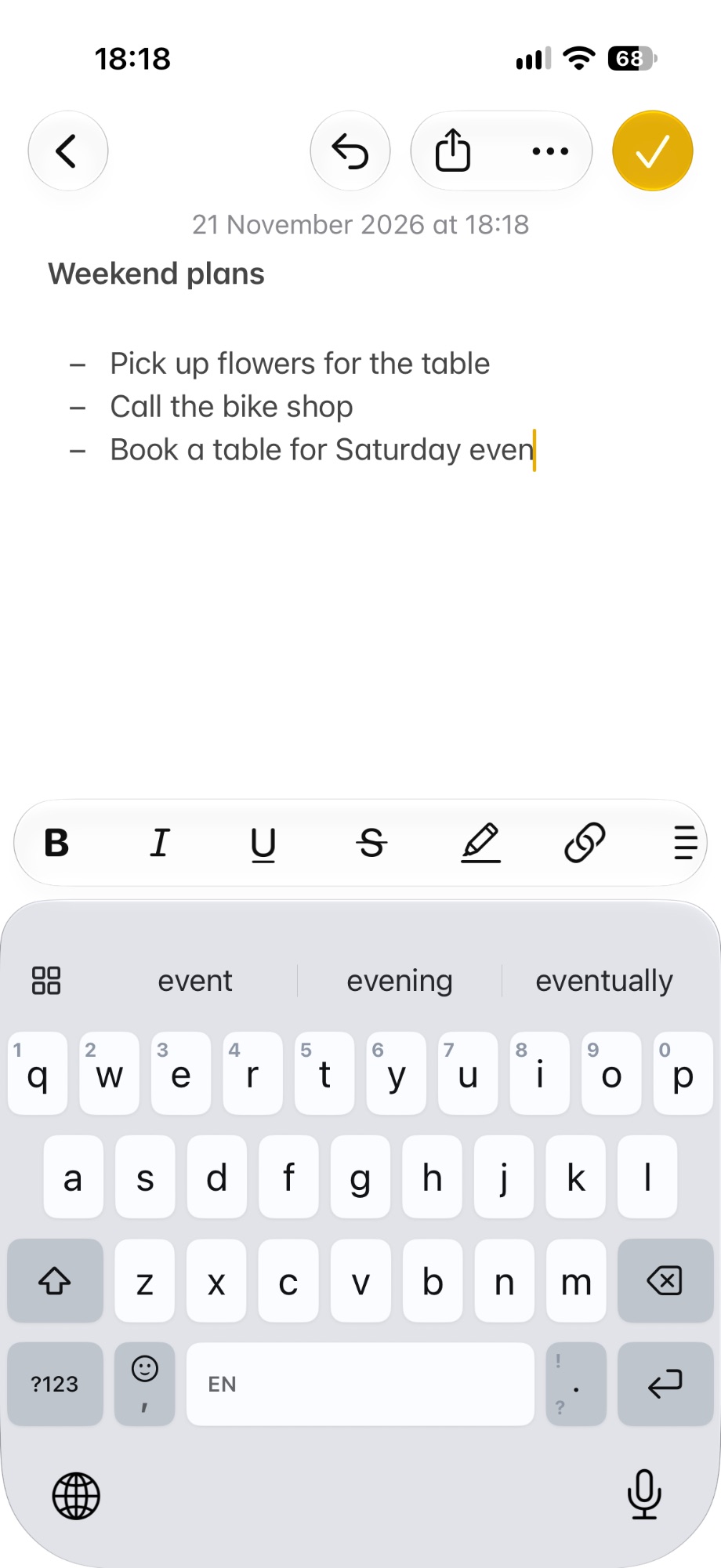
MoonGlide recognizes the language you are typing and corrects in it as you go, even when you change languages halfway through a sentence.
- All at once
- Turn on the languages you use and type in any of them.
- Flick the space bar to switch layouts
- Need another alphabet? One flick, no globe key.
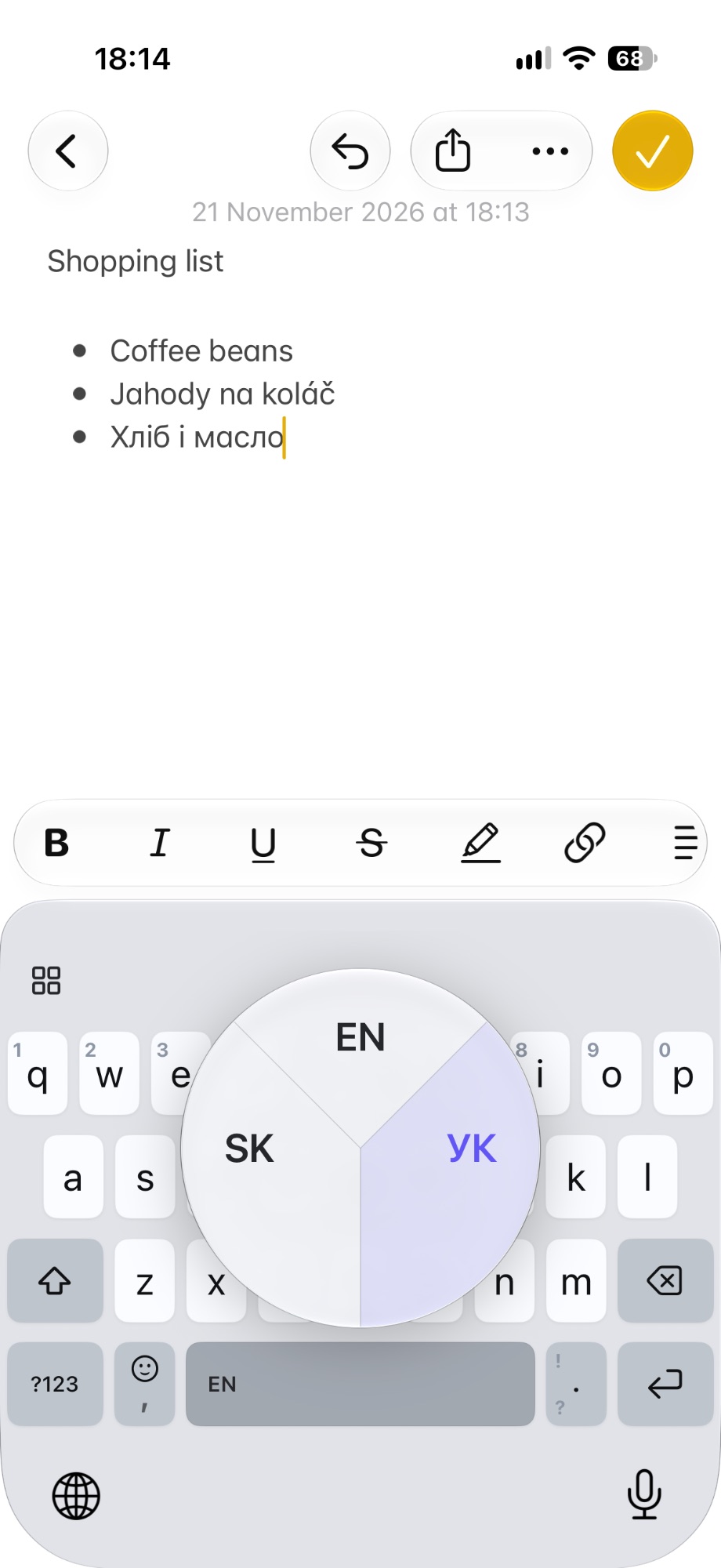
- Language wheel
- With three or more languages, swipe up on the space bar and pick one.
- A layout for each language
- Keep MoonGlide's roomy layout, or give a language its native one, like Slovak with its accent keys.
Gets more accurate
the more you type.
MoonGlide learns where your thumbs land and which words you use, and keeps all of it on your iPhone.
- Adapts to your thumbs
- It notices where your taps really land, for fewer missed keys over time.
- Learns from one undo
- Revert an autocorrection once and MoonGlide keeps your word.
- Your own dictionary
- Names, slang and work words are saved to a personal dictionary you control.
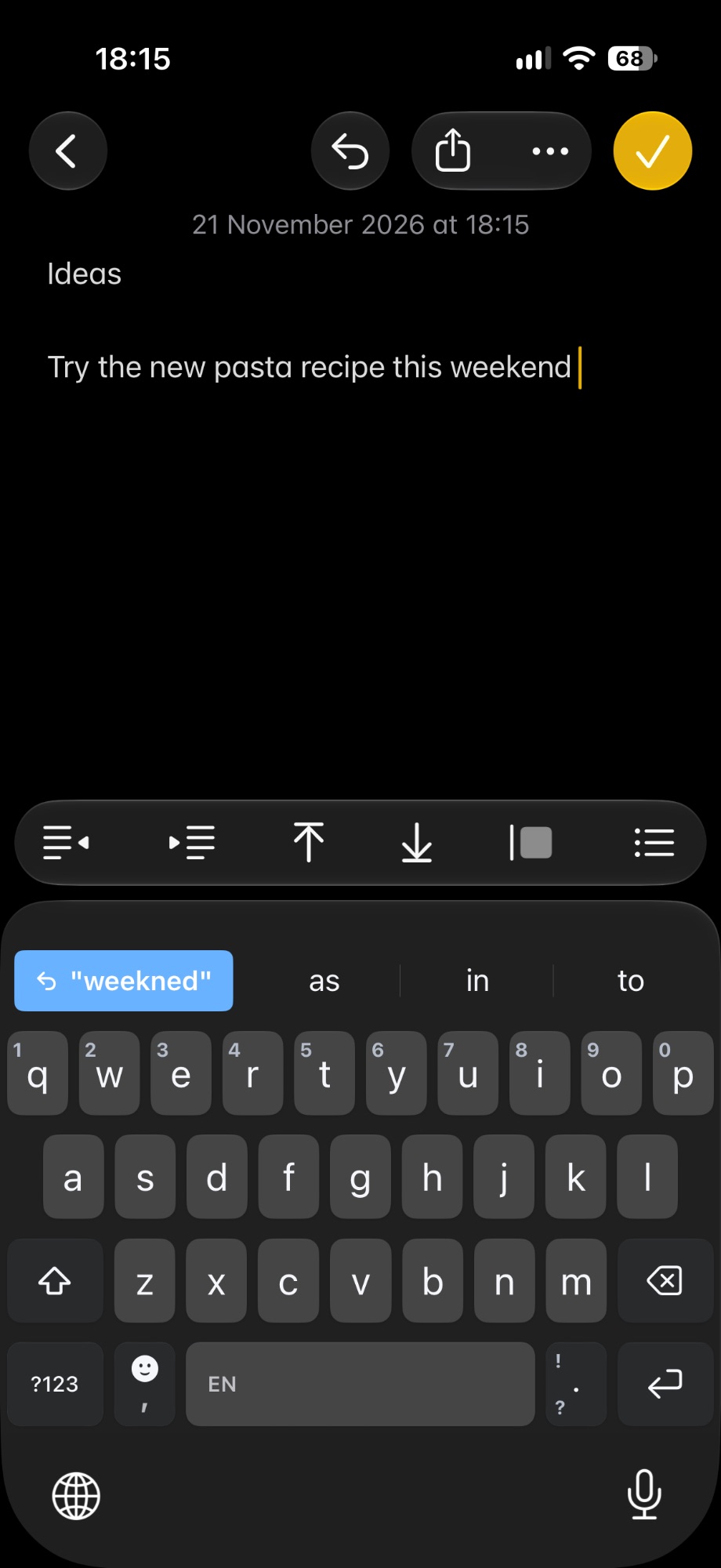
Your typing
stays private.
MoonGlide has no servers, no accounts and no analytics. What you type and what it learns stay on your device.
No network code
No SDKs, no tracking, and nothing in the app that could send your typing anywhere.
No Full Access needed
Autocorrect, suggestions and learning all work with it off. Most custom keyboards need it.
About 20 MB of memory
Light enough that iOS keeps it running, so it stays quick and smooth.
Numbers and symbols.
One flick away.
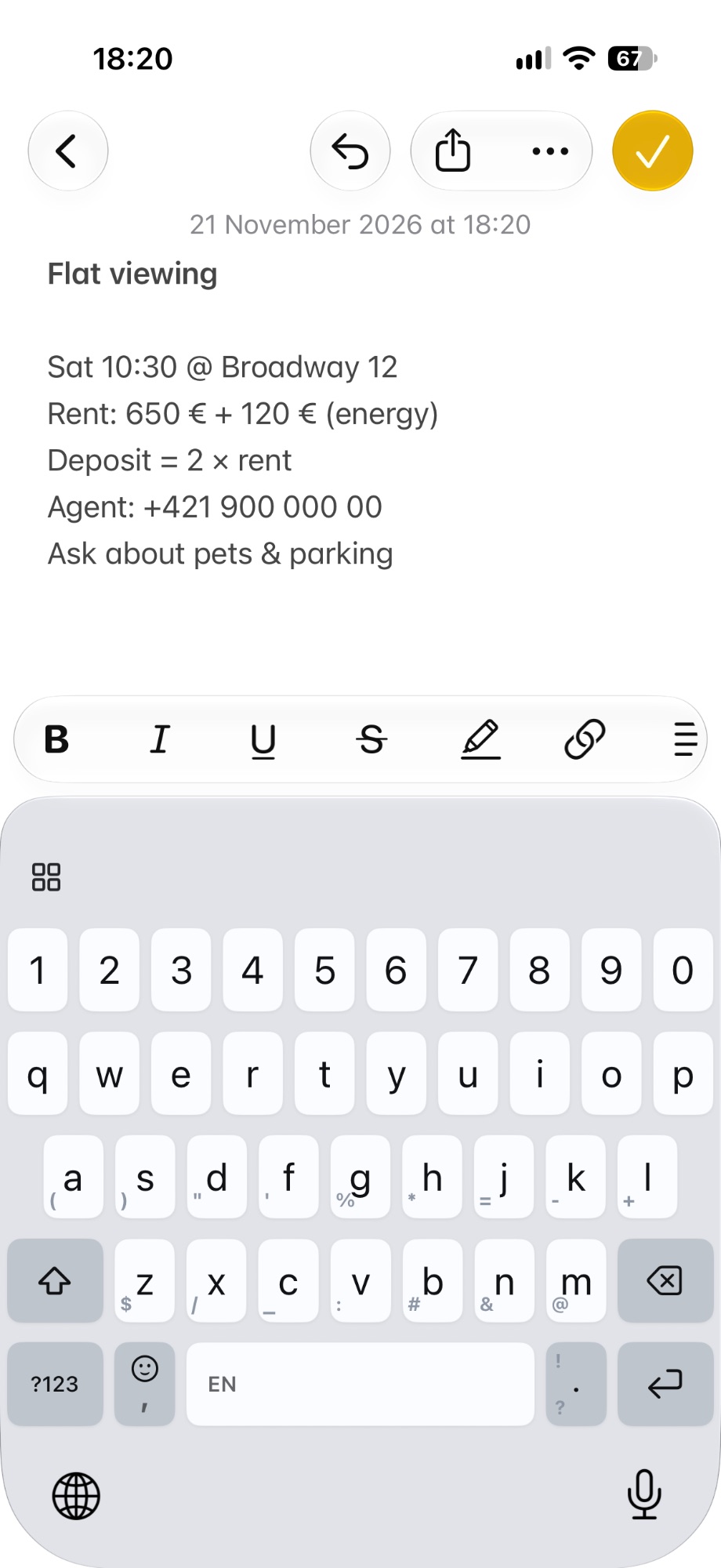
Phone numbers, prices and punctuation, typed straight from the letters. No jumping to another layout.
- Flick up for numbers
- Flick up on any key in the top row to type its digit.
- Symbols on the letter keys
- &, $, @, % and more, shown on the keys and typed with a flick.
- Punctuation and emoji
- Flick the period key for ! and ?. Flick up on the comma key for emoji.
- Or a full number row
- Prefer digits always on screen? Turn on the number row.
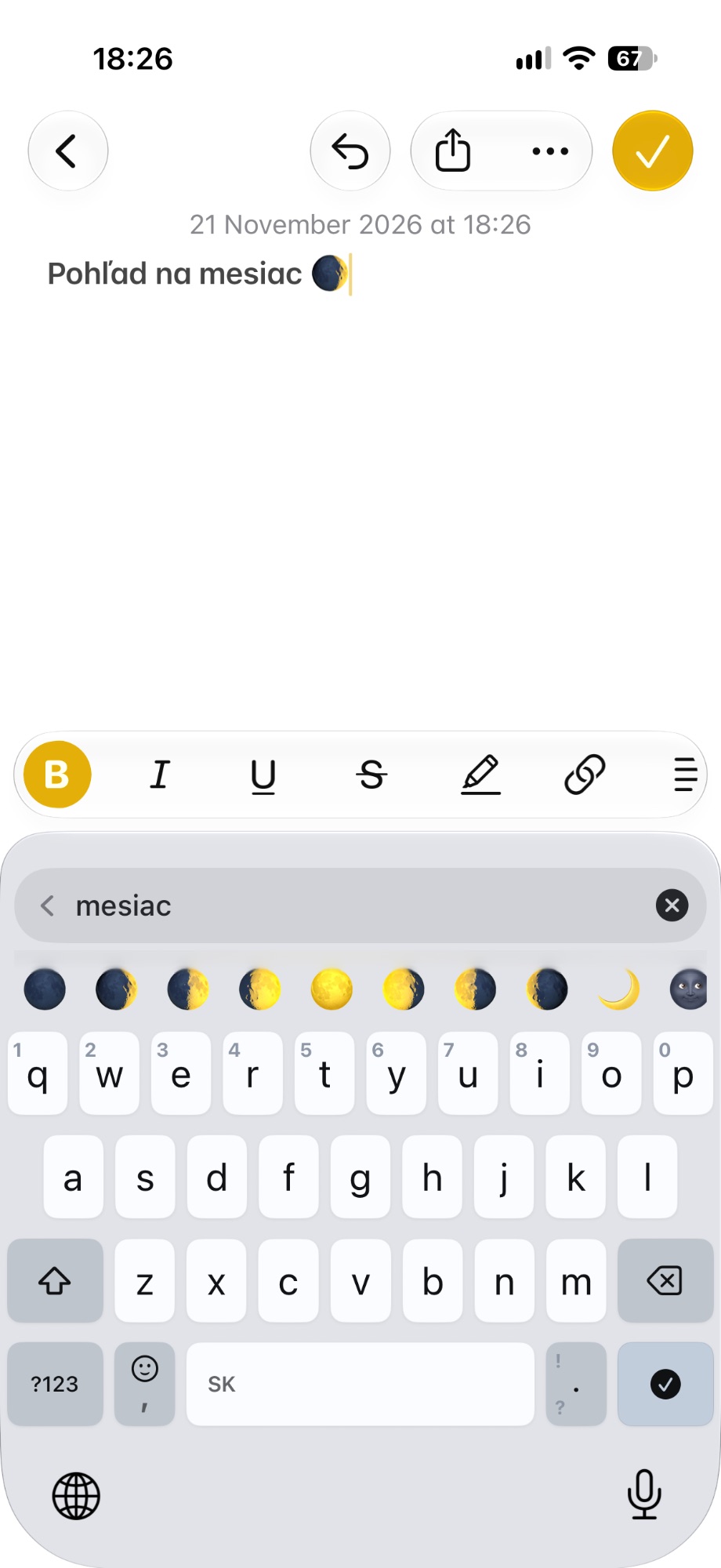
Emoji search
in your language.
Search emoji by name in any of your languages. “Moon”, “mesiac” and “місяць” all find the same moons.
- Not just English
- Search works in English, Slovak and Ukrainian.
- One flick to open
- Flick up on the comma key and start typing.
And the little things.
Slide to delete
Hold delete and slide left to remove whole words. Slide back to bring them back.
Move the cursor
Slide along the space bar to put the cursor exactly where you want it.
Swipe down to hide
Swipe down from the suggestion bar to put the keyboard away.
Fills in forms
Remembers your name, email and address and suggests them in forms. Never from password fields.
Typing statistics
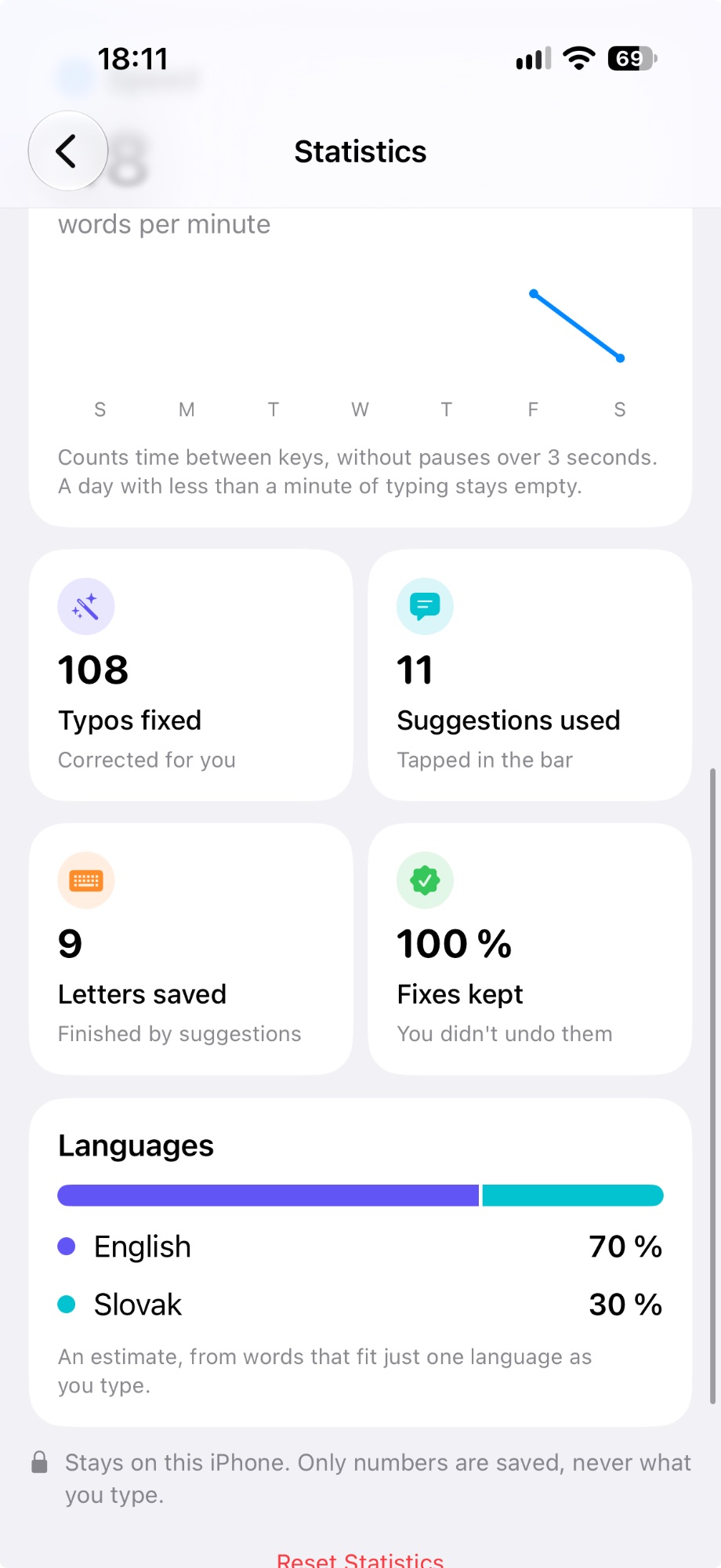
See your speed and accuracy, and how they improve over time.
Haptic feedback
A light tap with every key press, with or without Full Access.
Join the beta.
MoonGlide is in beta with a limited number of spots. Getting it takes two steps on your iPhone.
- Install TestFlightApple's free app for trying apps before release. Get TestFlight
- Join the MoonGlide betaOpen the link, then tap Accept and Install. Join the beta
Beta full? Email support@moonpyre.com and we will tell you when a spot opens.